Calculator Walkthrough
How to use the Roof Cost Calculator
The steps below show how to enter your roof details, review the estimate results, and generate a report for roof replacement cost planning.
How to Use the Calculator - Step-by-step Guide
Roof Replacement Cost Estimator Flow
Step 1
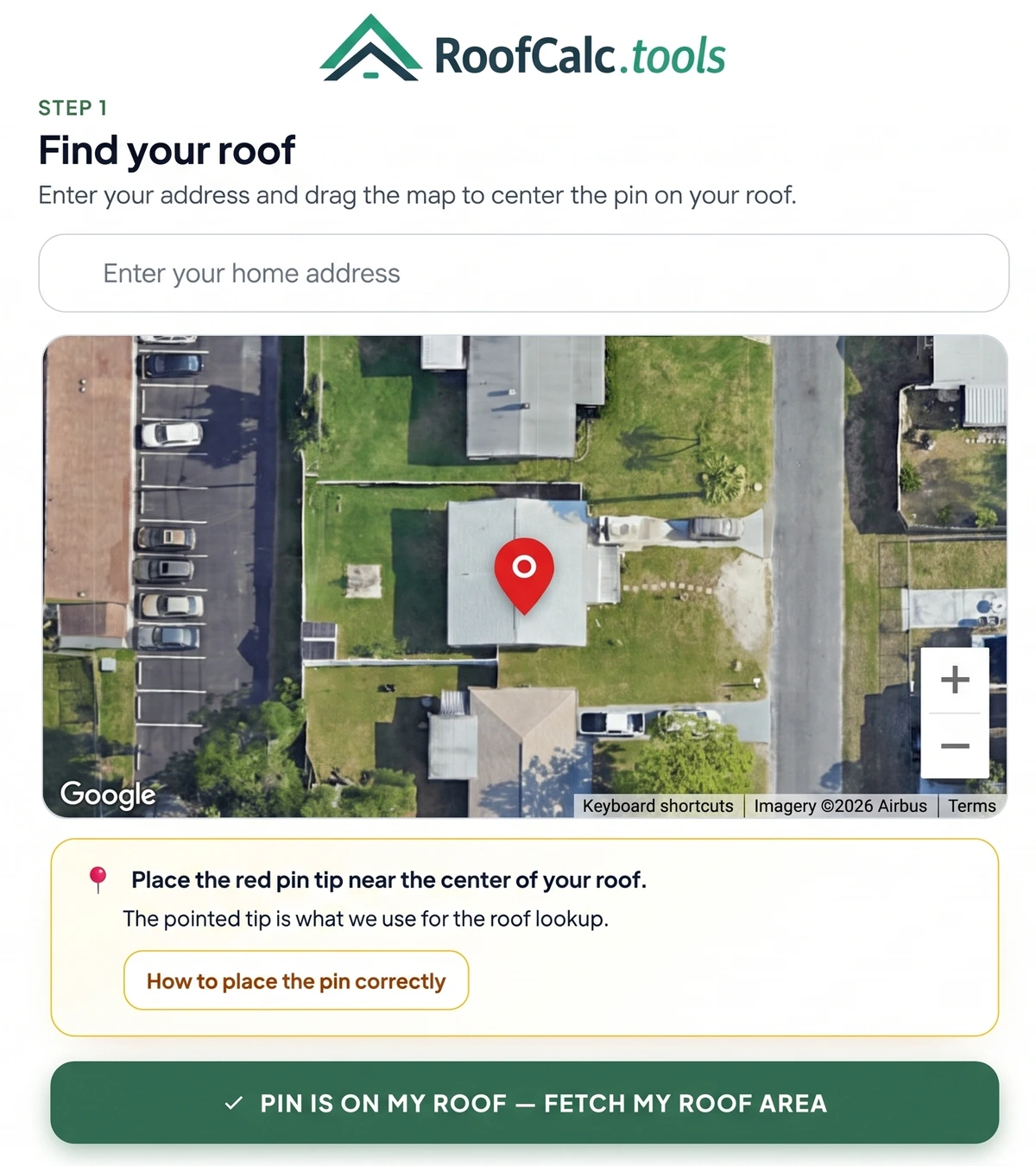
Enter Address and Confirm the Roof Pin
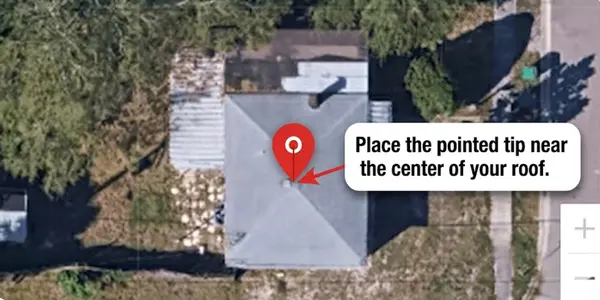
Enter the property address, then use the satellite roof view to make sure the red pin is on the roof you want measured. The pointed tip of the pin is used for the roof lookup. If the pin is not in the right place, use the move pin / recalculate option and run the lookup again. If satellite data is not available, the calculator can continue with a manual roof size estimate.
Step 2
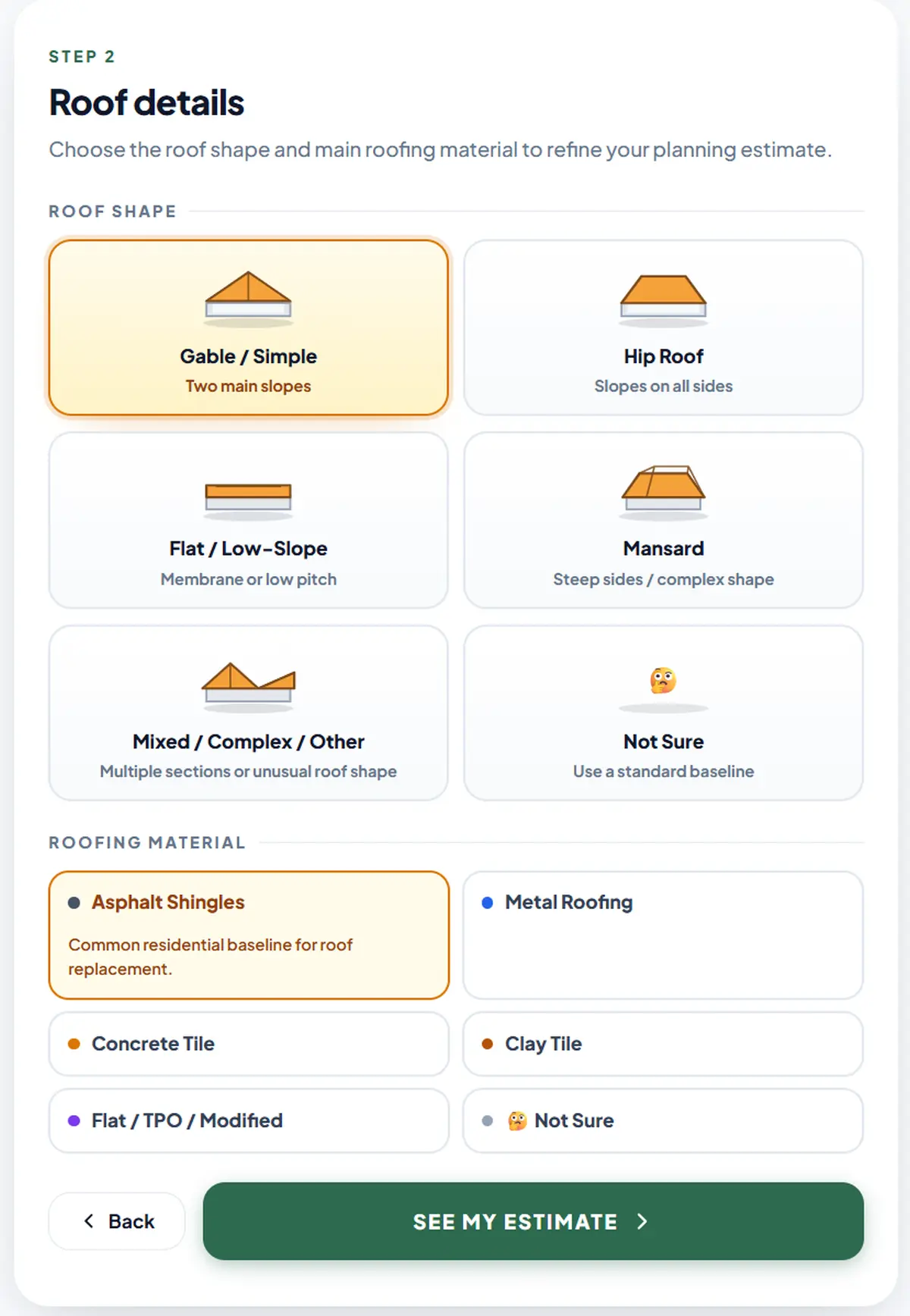
Choose Roof Shape and Material
Select the roof shape that matches your roof and then choose your roofing material. The roofing cost calculator includes gable/simple, hip, flat/low-slope, mansard and mixed/complex options. If you are unsure about your roof shape select the "not sure" option and the system automatically selects a baseline shape. For roofing materials, you can choose between asphalt shingles, metal roofing, concrete tile, clay tile and flat/TPO/modified. If the "not sure" option is selected, the calculator assumes an asphalt shingles baseline.
Results
Review Your Estimate Results
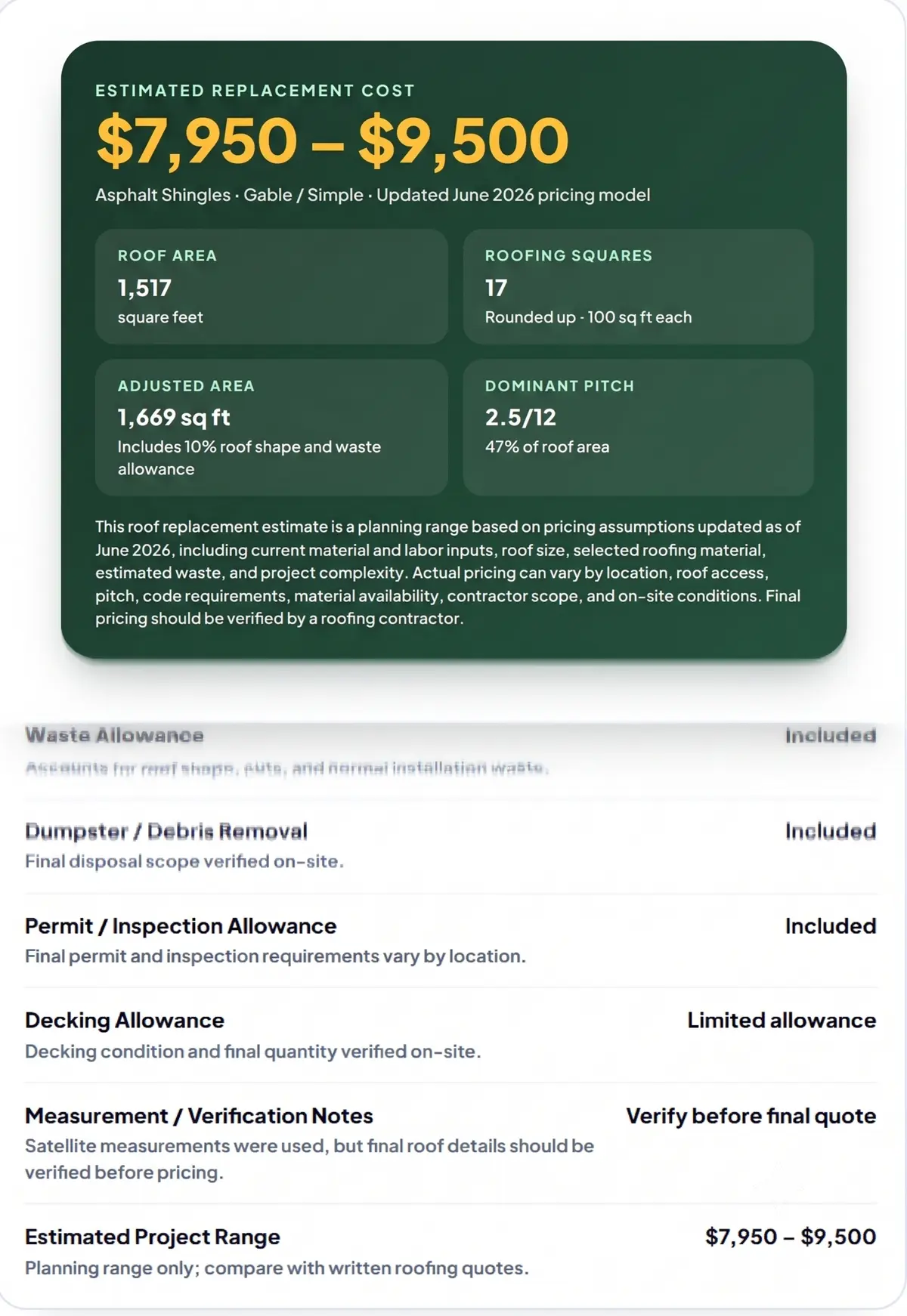
The results card shows the estimated replacement cost range and the roof details used to build it. Depending on the lookup, it may show roof area, adjusted area, roofing squares, dominant pitch, selected roof shape, selected material, and notes about what should be verified before a final quote.
Estimate Details
Roof Replacement Calculator Results Breakdown
The calculated estimate shows the roof details behind the range so you can compare contractor quotes against the same roof information.
Estimated Project Range: The planning range generated from the roof details entered into the calculator.
Roof Area: The measured or estimated roof area used as the starting point for the estimate.
Adjusted Area: The roof area after roof shape, pitch where available, waste allowance, and project assumptions are applied.
Roofing Squares: The adjusted roof area converted into the unit commonly used for roof estimating.
Roof Shape and Material: The selected roof type and material used to refine the estimate range.
Pitch and Verification Notes: Pitch details may appear when available, along with items that should be confirmed before final pricing.
Printable Report
What the Printable Report Includes
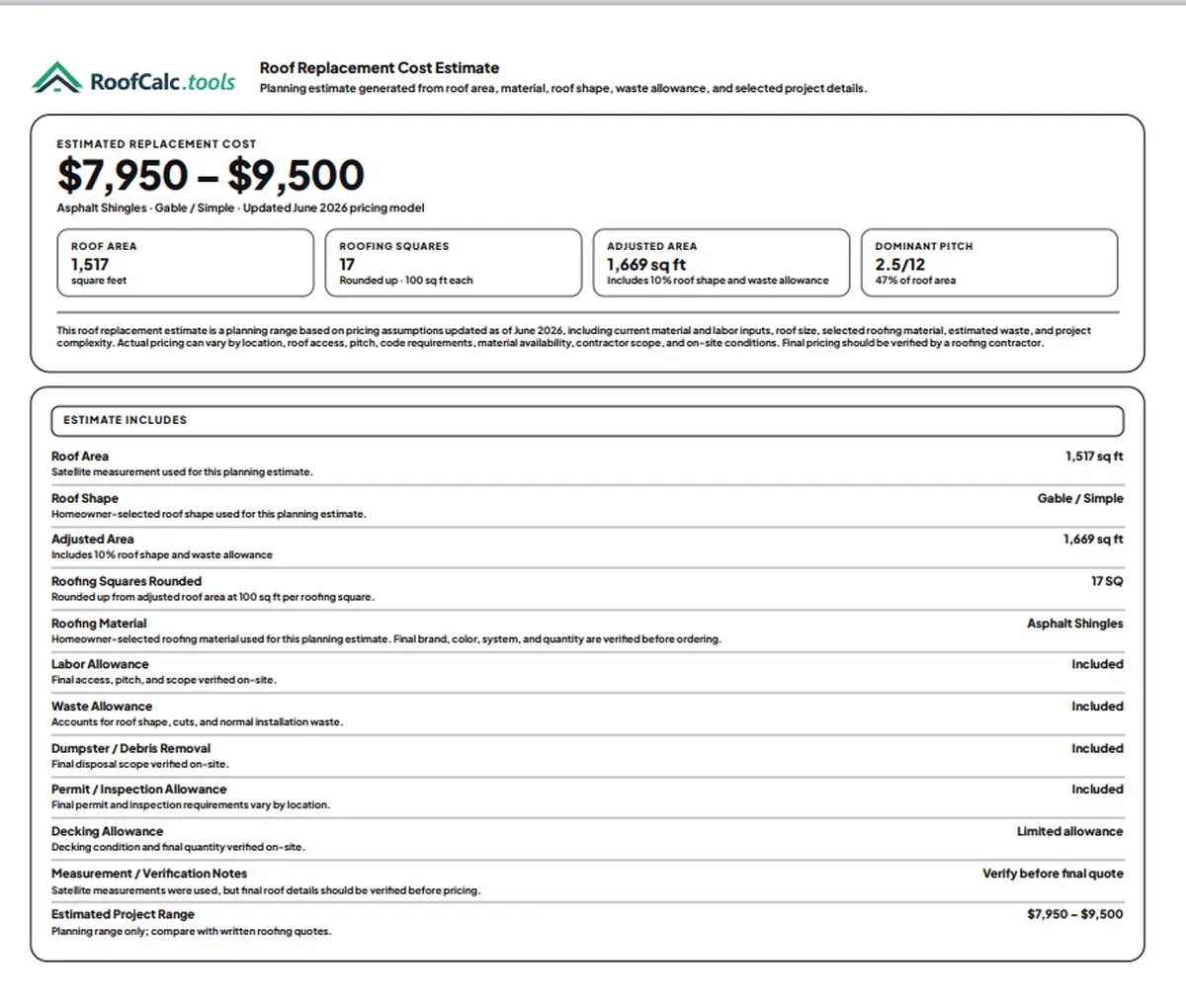
The estimated roof cost report summary shows the project price range, roof area, adjusted area, roofing squares, roof shape, selected material, allowances, and verification notes. Use the report to compare contractor quotes so each quote can be checked against the same roof details.
Report
Save, Print, or Share Your Estimate
Your estimated roof replacement cost range can be saved as a PDF, printed or shared via the share link. This makes it easier to keep your roof size, selected material, and estimate details together while you compare quotes.
Planning Range
How the Estimate Is Calculated
The calculator calculates the roof area based on satellite data. This data is then adjusted based on roof shape and selected materials. After roof shape and materials have been analyzed the calculator estimates roofing squares, pitch data when available, waste allowance and standard project costs. Standard labor costs are based on labor scope, debris removal, permit or inspection allowance, and setup.
The RoofCalc pricing model uses updated material and labor assumptions to create a realistic planning range. Results are shown as a range, not a fixed bid. The calclator shows ranges because local contractor pricing, roof access, code requirements, material availability, and on-site roof condition can still affect the final quote.
Common Questions
Roof Cost Calculator FAQs
Is this a contractor bid?
No. The calculator gives a planning range based on the roof details available in the tool. A final bid still depends on the roof condition, access, local requirements, material choices, and a contractor's written scope.
What if satellite data is unavailable?
If the roof lookup cannot return usable satellite data, the calculator can continue with a manual roof size estimate so you can still create a planning range.
Can I move the roof pin?
Yes. Use the move pin / recalculate option when the red pin is not centered on the roof you want measured. The pointed tip of the pin is the lookup point.
I see a roof area verification warning. What does it mean?
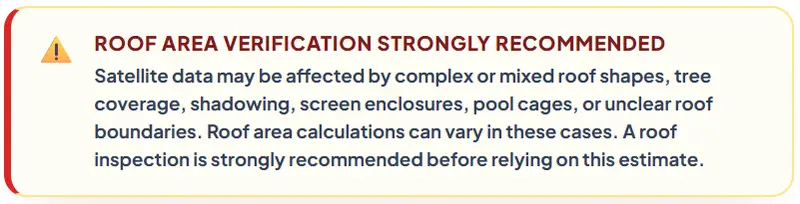
This means the calculator found something that may make satellite roof measurement less certain, such as a complex or mixed roof shape, tree cover, shadows, screen enclosures, pool cages, or unclear roof edges. You can still use the estimate as a planning range, but the roof area and final scope should be verified before comparing or accepting contractor quotes.
What details are shown on my roof estimate?
The estimate can show the project range, roof area, adjusted area, roofing squares, roof shape, selected material, pitch details when available, and verification notes for quote comparison.
Can I print or share the estimate?
Yes. The results screen includes options to print, save as PDF, or share the estimate link so you can review it later or compare it with contractor quotes.
Florida Roofs
Estimating a Florida Roof?
Use the advanced Florida roof cost calculator which accounts for complex conditions like hurricane-zone requirements, tile and metal demand, flat-and-pitched roof combinations, storm-season scheduling, and local code details.